Your photo frame is now your home base

Skylit turns a wall-mounted Android photo frame into the place your household checks every day: family photos, the weather, everyone's calendars and a small animated robot named Momo.

  • Free
  • No subscription or cloud account
  • Your data stays on the frame
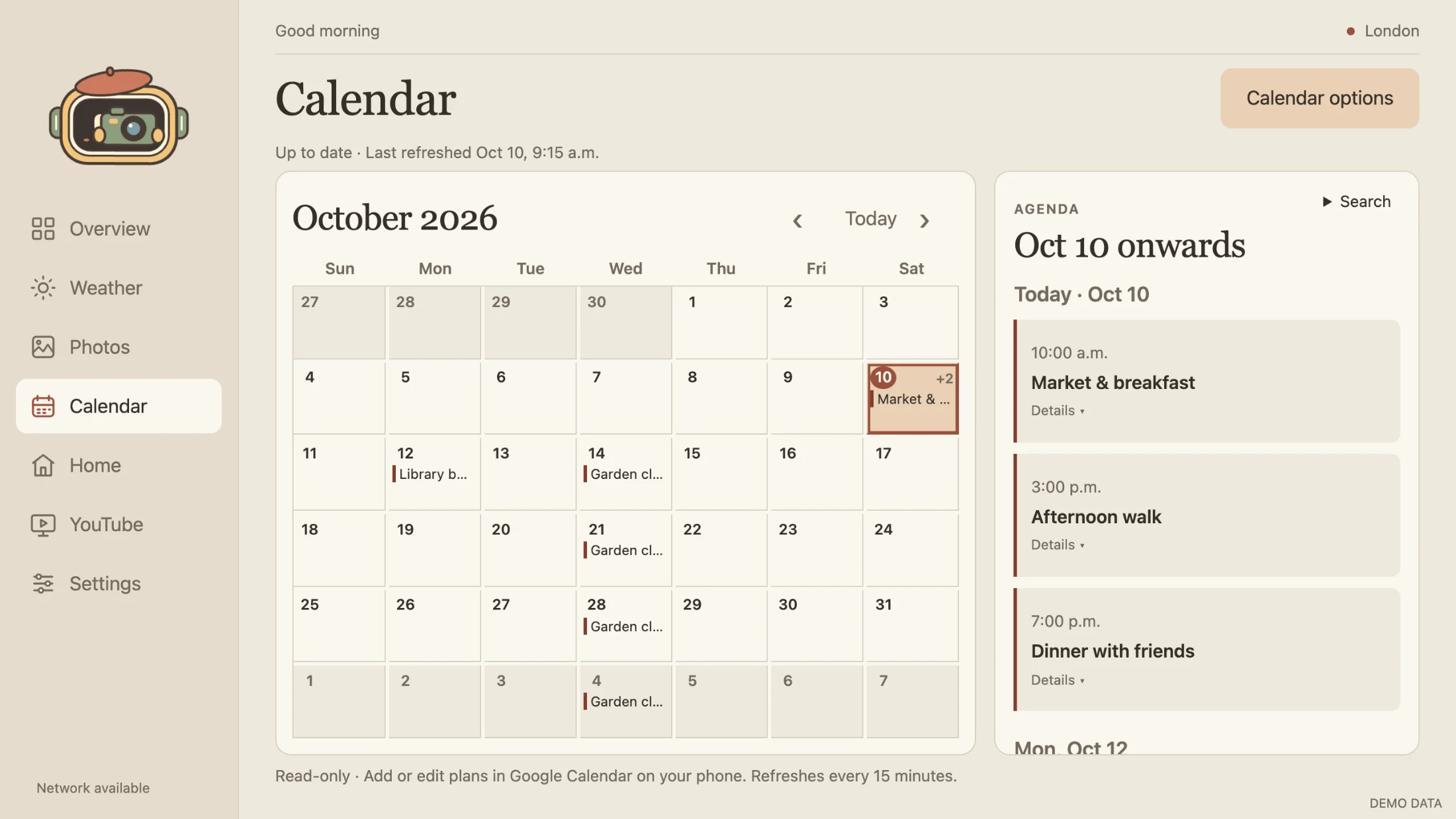
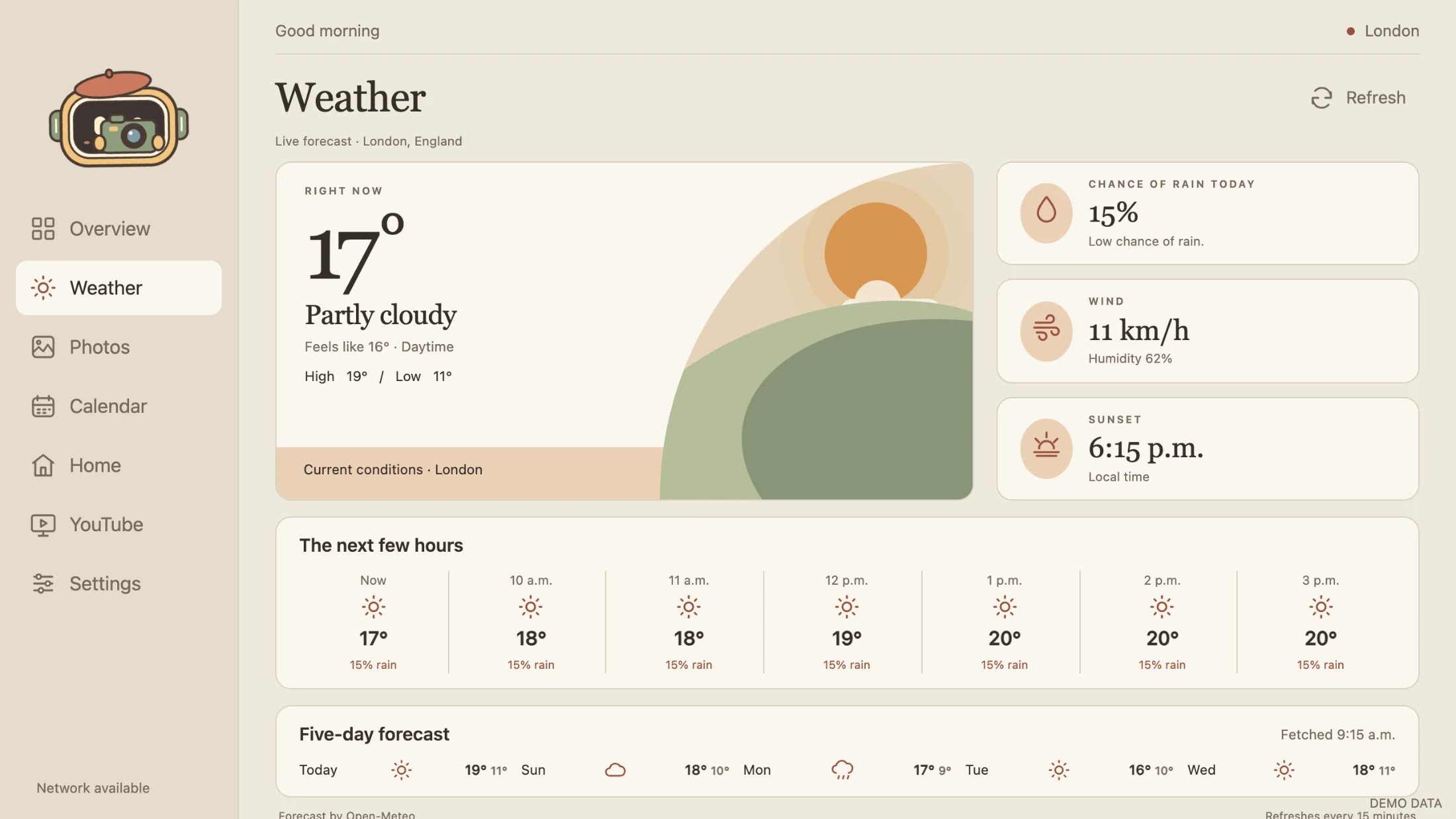
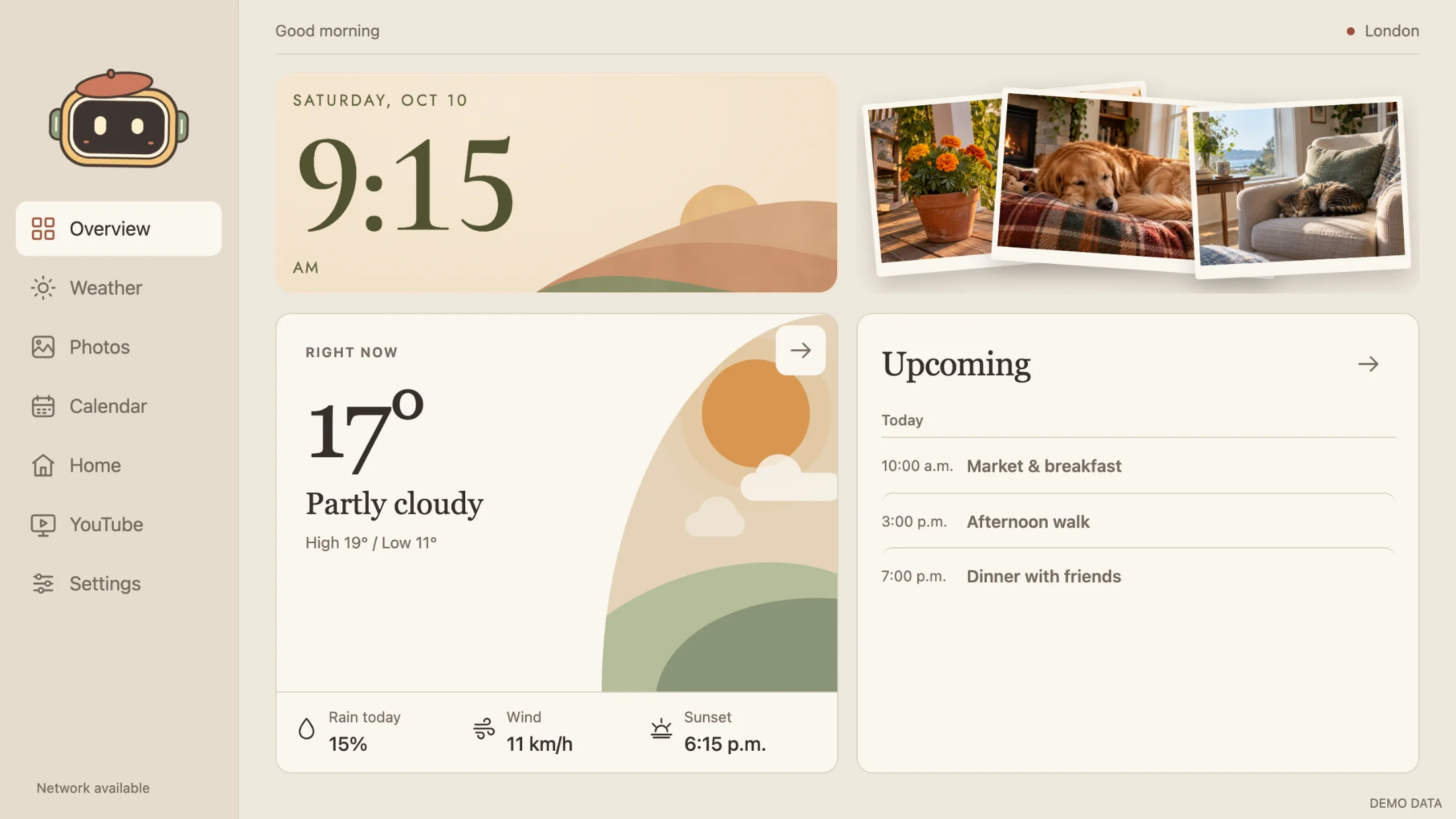
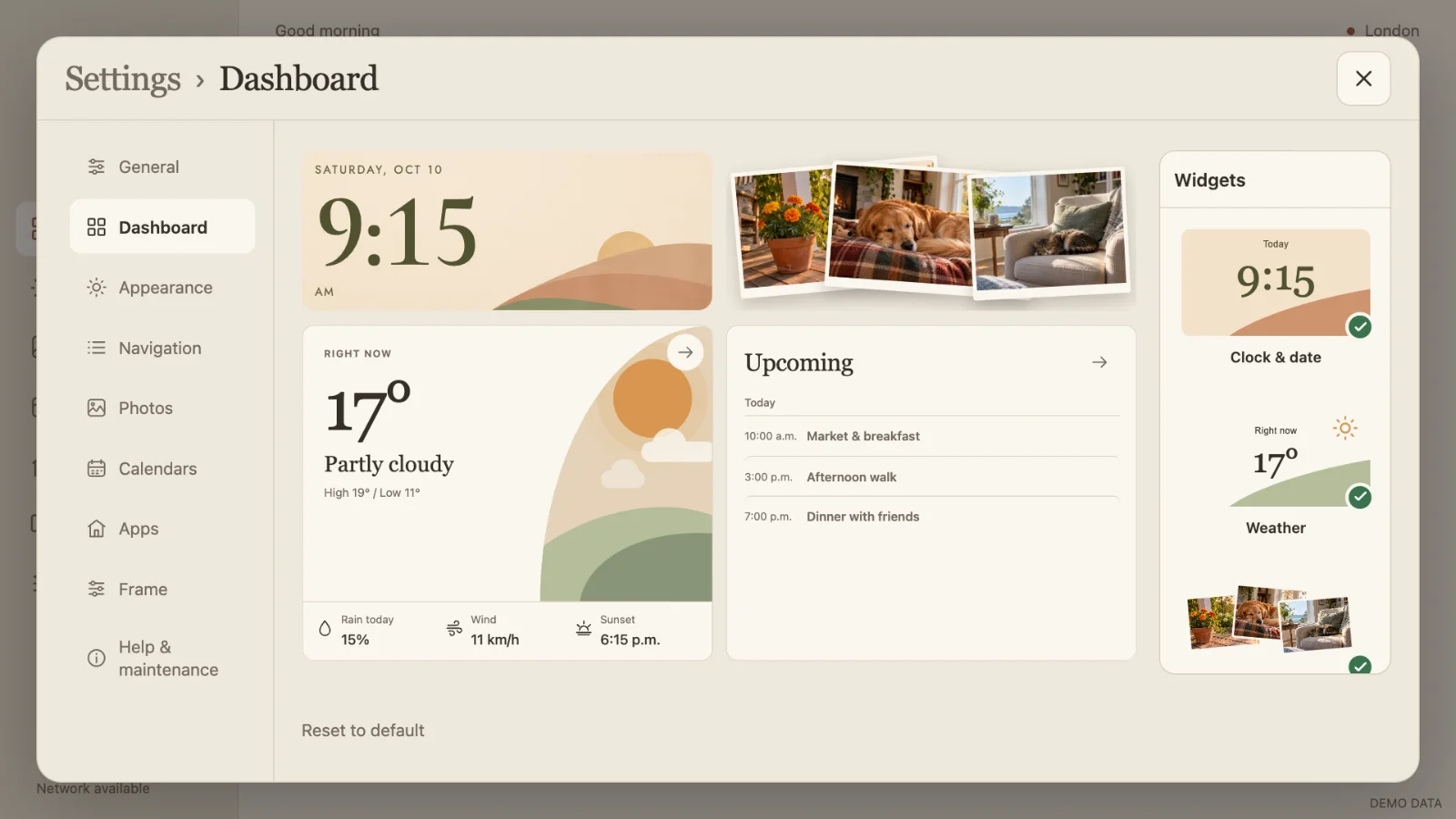
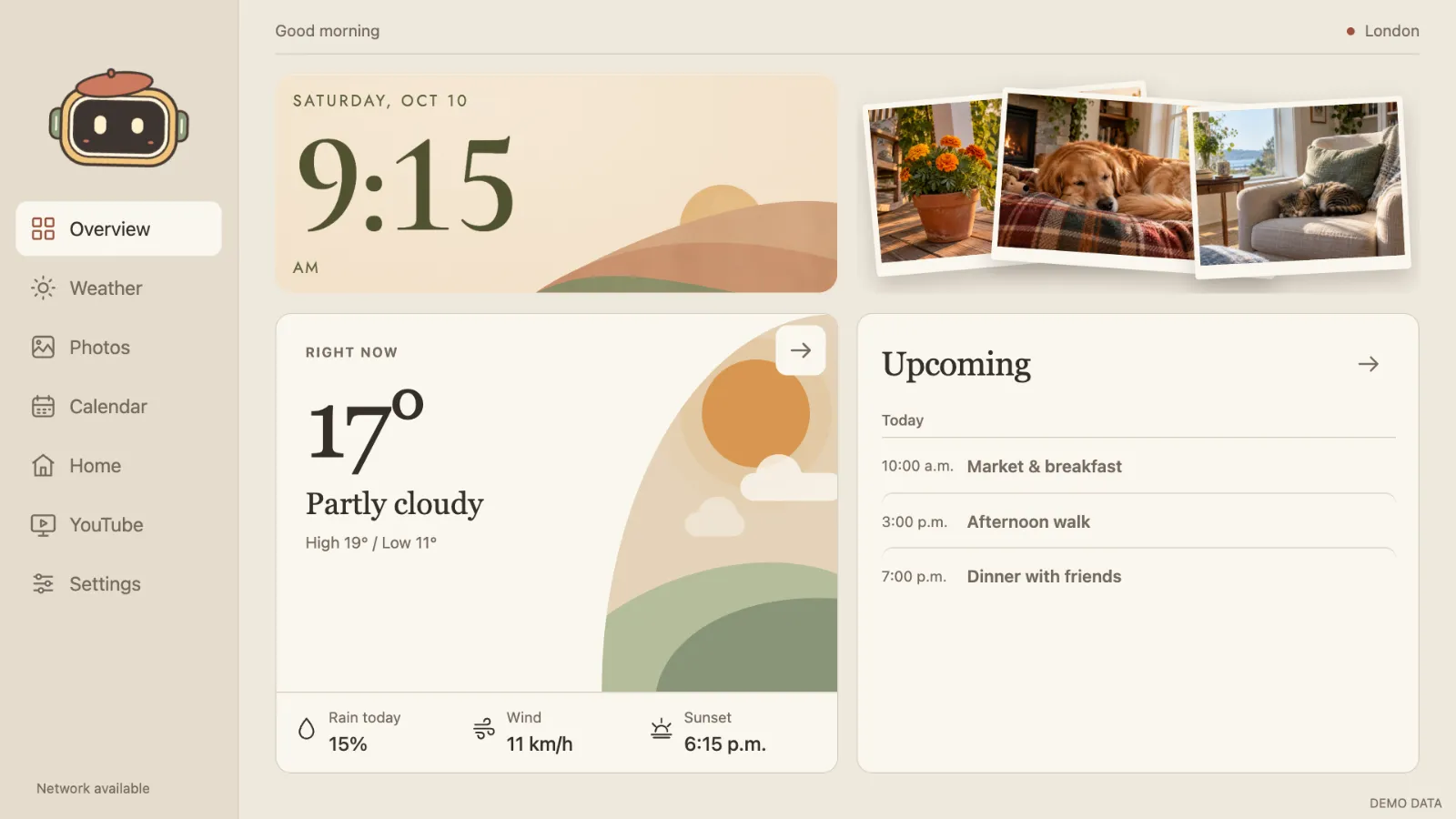
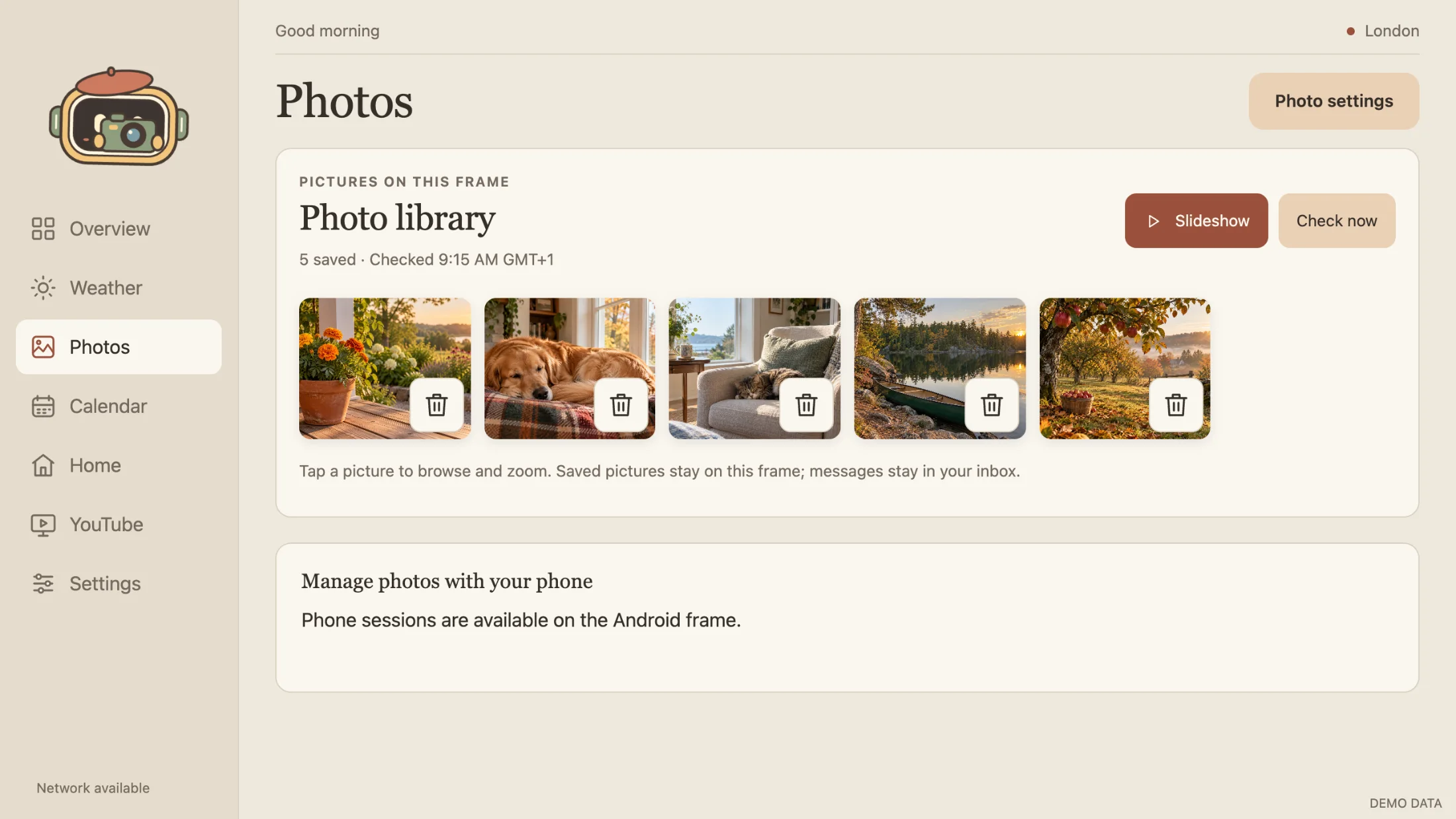
Skylit overview: Saturday 9:15 clock over painted hills, partly cloudy 17° forecast, falling photo prints and today's plans Skylit Photos: the photo library on the frame with a slideshow button Skylit Calendar: October month view beside an agenda of today's events Skylit Weather: illustrated scene, rain, wind and sunset details, hourly and five-day forecast

Actual Skylit screens at the frame's resolution, shown with sample data.

One calm screen for the whole household

Large type, generous touch targets and soft colours, readable from across the room on a 1280×720 frame.

1

Today, at a glance

The time, the forecast, recent photos and today's plans share one screen. Start from Balanced, Photos first or Plans first, then arrange it however your household likes.

  • Optional note, shopping list, countdowns and timers
  • Google Home and YouTube one tap away in the sidebar
Skylit overview with clock, weather, photos and upcoming events
2

Photos from everyone

Grandparents, friends and family can add pictures without an app: share a Google Photos album, or email them to the frame's own inbox. Everything plays as a gentle slideshow when the frame is idle.

  • Browse, zoom, favourite and hide pictures
  • New pictures can wait for your approval
Skylit photo library on the frame
3

Everyone's plans together

A month view and agenda that combine up to six Google calendars, each with its own label and colour. Keep adding events on your phone; the frame refreshes every 15 minutes.

  • Read-only, from private iCal addresses
  • Choose whose invitations appear on the frame
Skylit calendar month view and agenda with sample events
4

Weather worth a glance

Live Open-Meteo forecasts with hourly and five-day outlooks, illustrated in nine scenes with day and night variants.

  • City search with no location permission
  • The last forecast stays available offline
Skylit weather screen with an illustrated scene and forecasts
Falling prints slideshow with a sample photo of marigolds Photo collage slideshow with three sample photos

A slideshow with a sense of pace

Pictures are decoded before their turn, so each one gets its full viewing time. Touch brings the controls back; they fade again after four seconds.

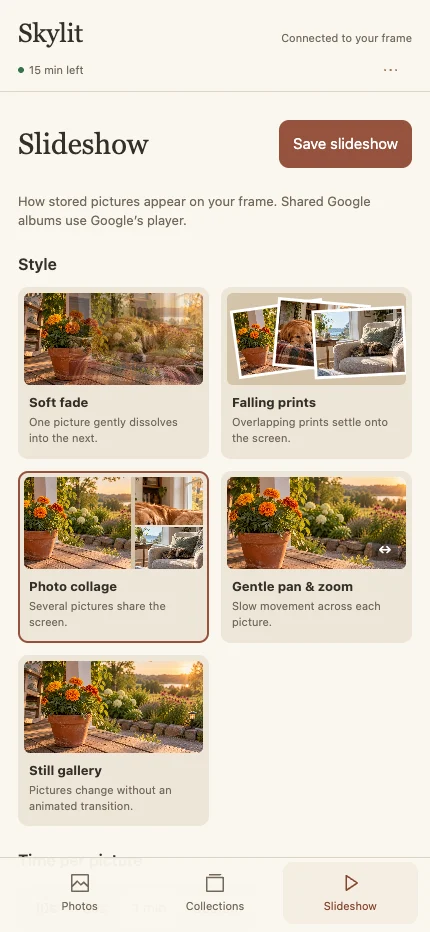
  • Five styles: Soft fade, Falling prints, Photo collage, Gentle pan & zoom and Still gallery
  • Portrait pictures pair up automatically
  • Favourites, Keepers and named collections
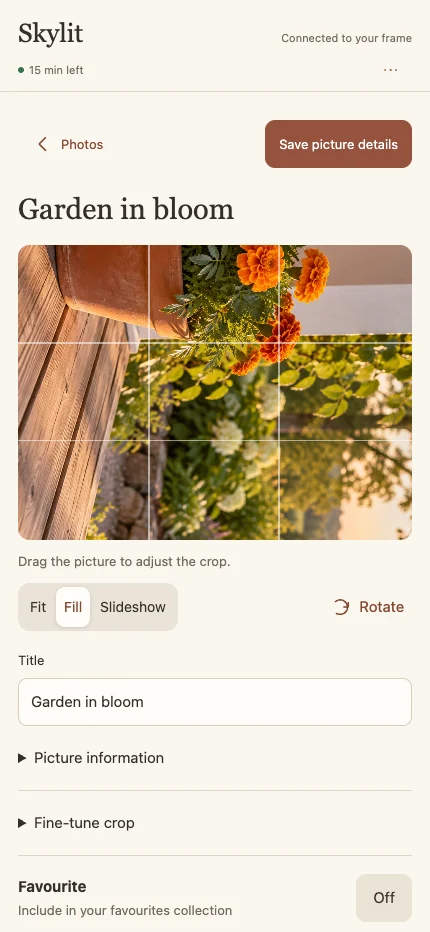
  • Crop, rotate and caption any picture
  • Muted clips, saved presets and seasonal collections

Curate from your phone

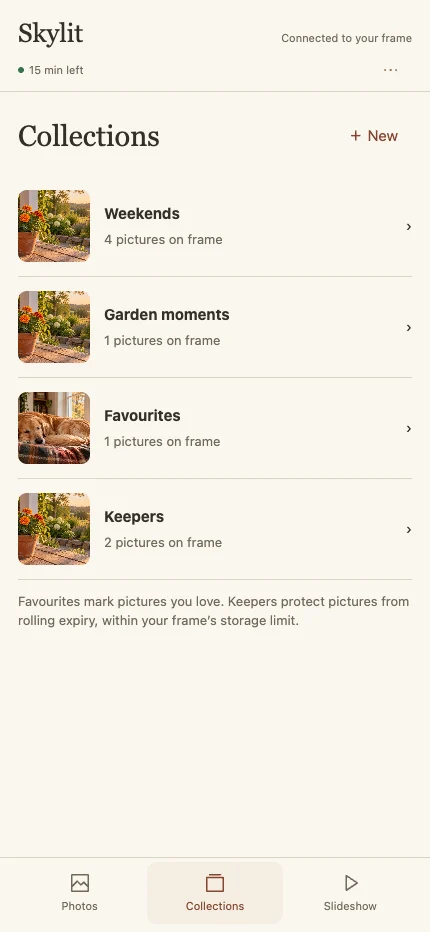
Scan the QR code on the frame, check that the number matches, then browse, hide, collect and crop pictures from the sofa. The connection is encrypted, stays on your Wi-Fi and closes itself after 15 minutes.

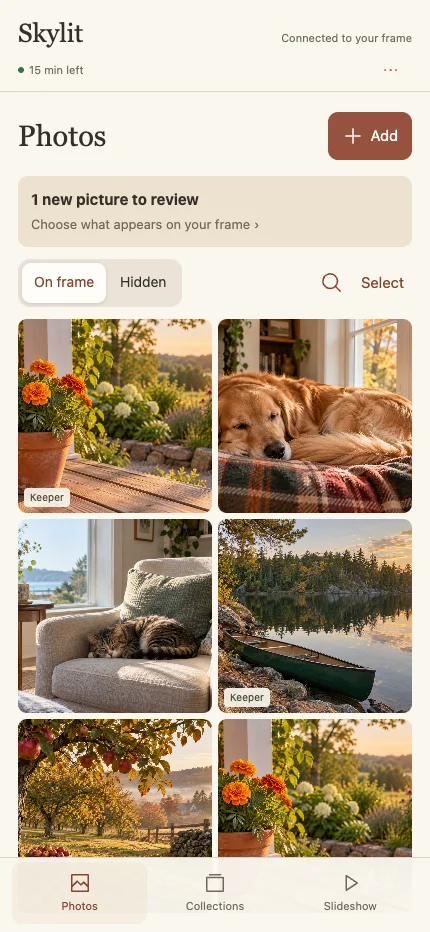
Phone app Photos screen with a grid of sample pictures
Phone app Collections screen
Phone app Slideshow settings with style choices
Phone app picture editor with crop and title

Make it feel like home

Choose a clock, arrange the dashboard and pick colours that suit the room.

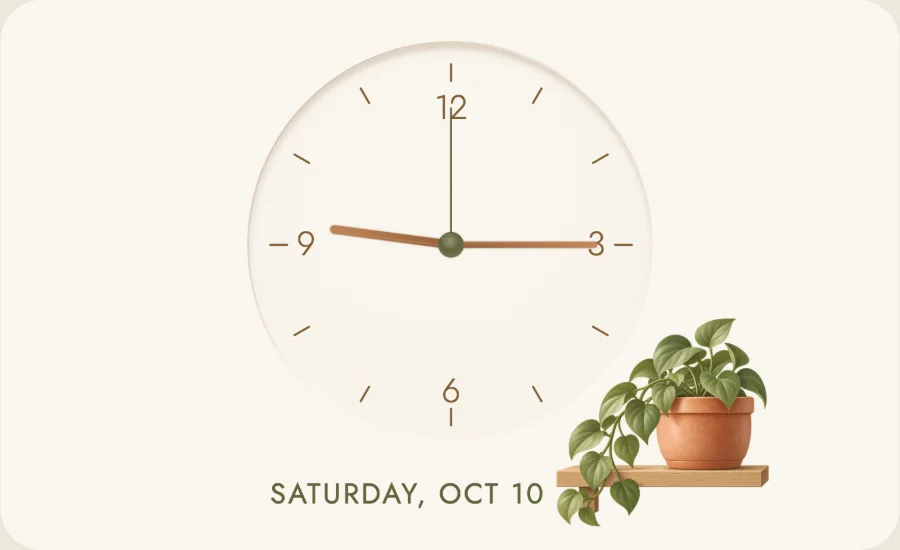
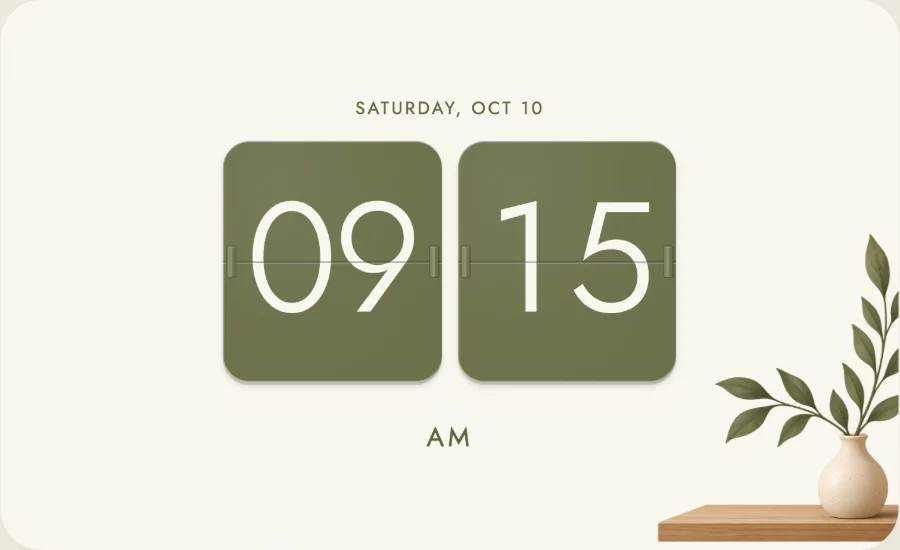
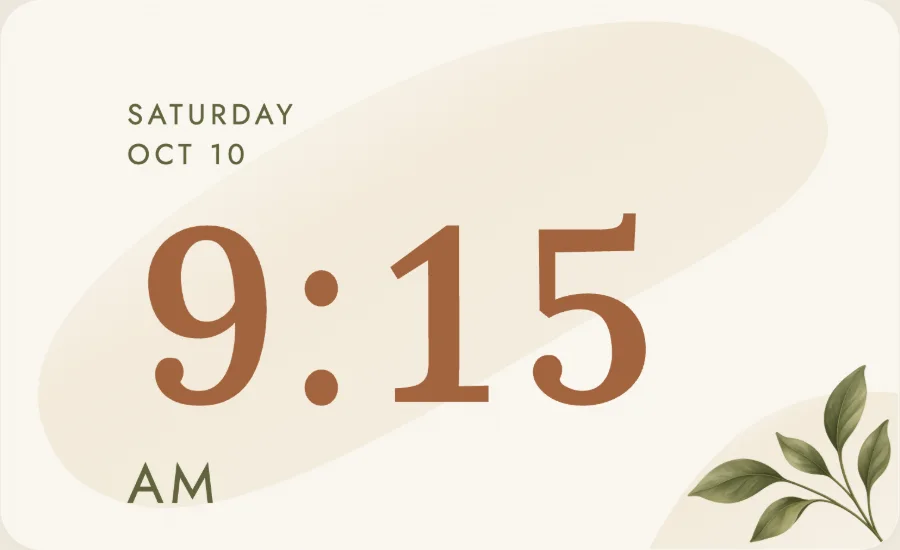
Four warm clocks

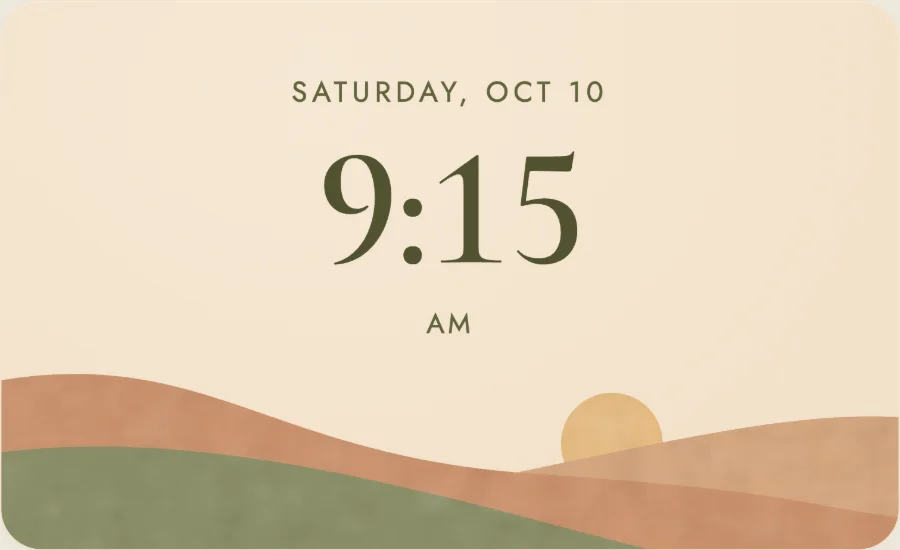
Landscape clock showing 9:15 above rolling hills and a sun
LandscapeRolling hills and a low sun
Analog clock face with a potted plant on a shelf
AnalogA soft dial with live hands
Flip clock with olive plates beside a vase
FlipOlive plates that flip each minute
Botanical clock with large terracotta numerals and leaves
BotanicalGenerous numerals and leaves
Dashboard editor in Settings with a live canvas and widget gallery
Drag to move
Tap a preview to add
Corners resize

Arrange the dashboard

Drag widgets from the gallery onto a live canvas. Drop one on another to swap their places, drag a corner to resize, and pick a style for each. Widgets adapt from a small tile to the full screen.

Clock & dateWeatherPhotosUpcoming eventsHourly forecastNoteShopping listCountdownsTimers

Six palettes, light and dark

Automatic mode switches at sunrise and sunset in your city, calculated on the frame. High contrast is there when you need it.

Skylit overview in the Linen light palette
Pleased to meet you.
Momo waving hello in an autumn leaf
Hello, you.
Momo sneezing in winter earmuffs
Ah… ah… achoo!
Momo dancing in a party hat
A tiny happy dance.
Momo under an umbrella on a rainy day
Ready for rain

Meet Momo

Every frame comes with a tiny robot, drawn entirely in code. Tap him for one of thirteen reactions. He follows your touch with his eyes, notices the rain, new pictures and bedtime, and can pick new clothes every day. This is the real Momo, running right here.

Built to live on the wall

A frame runs all day, in a shared room, for people of every age. Skylit is designed around that.

Readable across the room

Large type, generous touch targets and a larger-text option. Clear labels instead of clever ones.

Calm when nobody's looking

When the frame sits idle it plays your pictures; the first touch brings the dashboard back.

Quiet hours

A quiet schedule and a privacy pause for evenings, guests or a good night's sleep.

Steady through outages

The dashboard is bundled with the app, so it starts offline and keeps the last forecast, events and pictures.

Fits the frame you have

Layouts adapt to landscape 16:9 and 16:10 screens, from compact panels to large displays.

Guided setup

A three-step guide on the frame covers your city, photos and calendars, and reopens from Settings any time.

Private by design

There is no Skylit account or hosted service. The frame talks directly to the services you choose.

  • No Google developer project, API key or Play services
  • Calendar addresses and app passwords are entered on the frame and stay in its private storage
  • Calendars are read-only

Signed updates

Skylit checks the project's published GitHub releases, verifies the package and signer, then downloads or installs only when you allow it.

ManualNotify meDownloadInstall when idle
  • Installs only while nobody is using the frame, inside your chosen window
  • Settings and pictures stay in place

Getting started

You need a wall-mounted Android photo frame on Wi-Fi. Private details are always entered on the frame itself.

  1. 1

    Install the APK

    Download the signed APK from GitHub releases and install it on your frame.

    Wireless setup guide →
  2. 2

    Choose your city

    Weather, time and automatic light and dark mode follow the city you pick.

  3. 3

    Add photos

    Paste a shared Google Photos album link, or connect a dedicated Gmail inbox with an app password.

    Photo setup →
  4. 4

    Connect calendars

    Copy each calendar's secret iCal address on your computer and enter it on the frame.

    Calendar setup →

Questions

What hardware does Skylit run on?

Skylit is an Android app for wall-mounted photo frames with a landscape 16:9 or 16:10 screen. It is developed and verified on an Android 12 frame with WebView 95.

Do I need a subscription, cloud account or Google API key?

No. Skylit is free and has no hosted backend, so there is no Skylit account or subscription. It needs no Google API key, developer project or Google Play services.

How do photos get onto the frame?

Use a shared Google Photos album, or email pictures to a dedicated Gmail account whose app password you enter on the frame. You can also curate pictures from your phone over local Wi-Fi after pairing with a QR code.

How does the calendar work?

Copy each Google Calendar's secret address in iCal format on your computer and enter it on the frame. Skylit shows up to six calendars read-only and refreshes them every 15 minutes. You keep adding events on your phone as usual.

Where is my data stored?

On the frame. Calendar addresses, mail credentials and cached pictures stay in the app's private Android storage.

What happens when the internet drops?

The dashboard is bundled with the app, so it starts offline. The last forecast, calendar events and saved pictures stay available until the connection returns.

How does Skylit update?

From version 2.16, Skylit checks published GitHub releases, verifies the signed APK and can download or install it during an idle window you choose. Automatic download and installation are opt-in.

Is Skylit affiliated with Skylight or Wes Bos?

No. Skylit is an independent project inspired by Wes Bos's photo-frame-dashboard. It is not an official Wes Bos or Skylight product.

Give your frame a warmer job

Free to download. Read the source and documentation on GitHub.