 SkylitDocsGet Skylit
 Connect your calendars
Show read-only Google calendars through private iCal feeds, without a developer project.
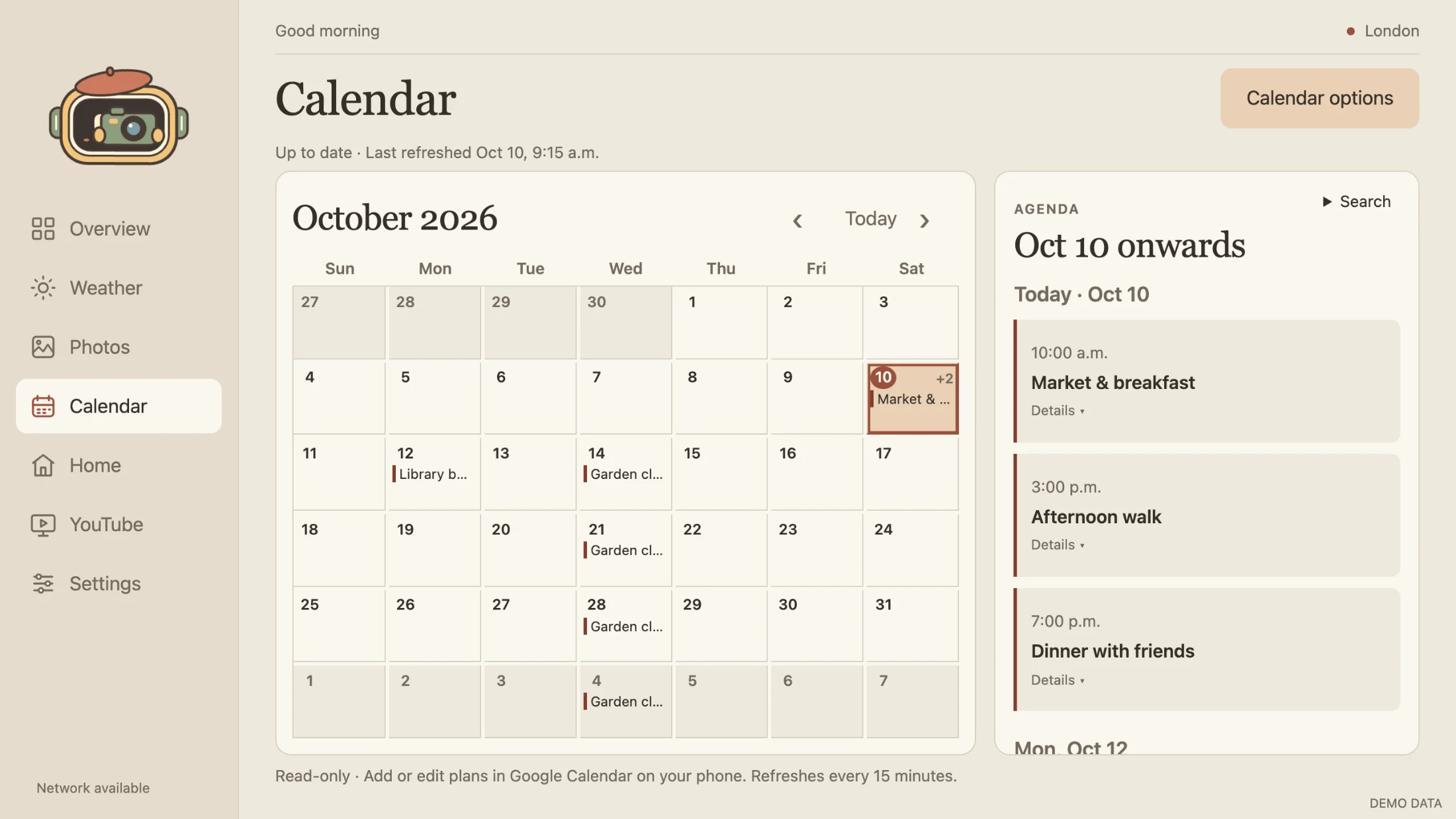
Connect a calendar
- On your computer, open Google Calendar → Settings. Select the calendar under Settings for my calendars, then open Integrate calendar.
- Copy Secret address in iCal format. This is not the public address, an embed code or the calendar website URL.
- On the frame, open Calendar → Calendar options. Enter the secret address, a label and a colour, then choose Connect calendar.
- Repeat for each calendar you want to show, up to six. Confirm a known event, then change an event in Google Calendar and verify it appears after refresh.
Browse and refresh
The month grid and selected-date agenda are read-only. Edit events in Google Calendar on your phone or computer. Skylit refreshes every 15 minutes and keeps the last-good data offline. Help & maintenance offers a retry.
Today returns to the current month. Overview stays anchored to today when you browse other months. Search covers the loaded dates, not your entire calendar history.
Visibility, inviters and removal
Calendar options lets you edit labels and colours or hide a source. Review who appears on this frame optionally filters events by approved organizer; it is a local display rule, not a Google invitation or Contacts setting.
Remove a calendar in Calendar options and confirm removal to erase its local feed and cached events. If its secret address was exposed, reset it in Google Calendar too. If the address is unavailable, check ownership or administrator restrictions; do not use public sharing as a workaround.