 SkylitDocsGet Skylit
 Manage photos from your phone
Pair a nearby phone for a temporary, encrypted photo-management session.
Connect on the same Wi-Fi
- Open Photos on the frame and find Manage photos with your phone. Keep the phone and frame on the same Wi-Fi.
- Scan the frame’s QR invitation. Follow the certificate-check instructions shown by the frame and your browser; compare the frame’s fingerprint rather than accepting an unexpected identity.
- Compare the number on the phone with the number shown on the frame. Approve that matching request on the frame.
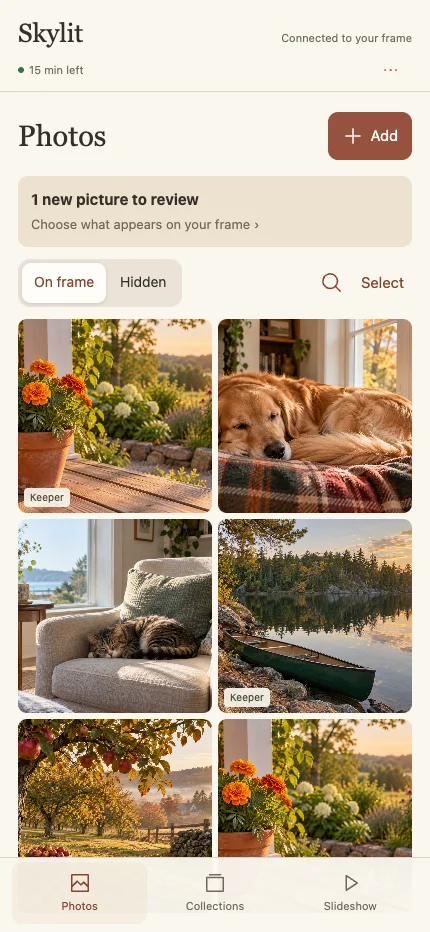
- Once approved, use Photos, Collections and Slideshow on the phone to manage the frame’s pictures.
A temporary session
The service runs on the frame and is off by default. Invitations and pending approvals expire, and the session has a 15-minute limit. It does not give the phone access to mail passwords, calendar feeds or Android debugging.
If the connection expires or is lost, scan a new invitation. Stale phone pages cannot continue making changes.
Stop sharing
Stop the session on the frame when finished. Privacy pause also revokes the session. Do not post the QR invitation, local address or certificate details in a public support screenshot.